 Wander
Media manager for Windows
Download Wander 0.6.0Free for personal use. No installation: a single 74 MB file that runs right away. Works on Windows 10 and 11.
 Wander
Guide
Versions
GitHub
Русский
Wander
Wander
Guide
Versions
GitHub
Русский
WanderMedia manager for Windows
Download Wander 0.6.0Free for personal use. No installation: a single 74 MB file that runs right away. Works on Windows 10 and 11.
The folder tree is kept between sessions. Bookmarks are added by dragging and expand like folders.
Lots of formats: images, RAW, 3D, video, documents. A file shows the moment it is selected, and two selected files sit side by side for comparison.
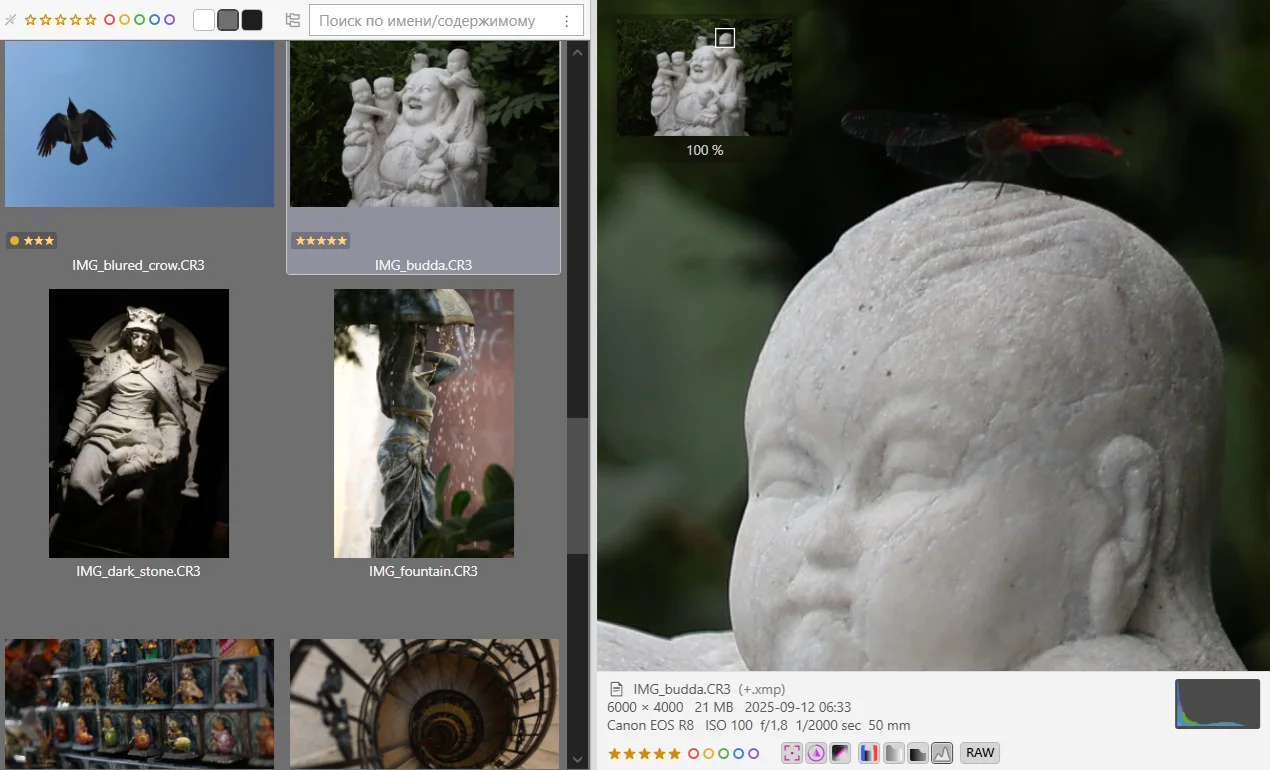
A folder of photos opens as a gallery, with sharpness and clipping visible in the preview and on the thumbnails. Ratings are set from the keyboard and read by Adobe apps, darktable and RawTherapee.
Rename a set of files with a template. Convert images, video and documents. Smart conflict resolution that compares file contents.
A Windows 10 style menu with every item by default: hide the ones you never use and add actions of your own.
The code is covered by tests, and builds are run through scenarios. The repository is open, and GitHub builds the releases. Deleted files go to the Recycle Bin, and system folders are protected.
Wander is in beta and moving fast: ideas and feedback are welcome on GitHub. The guide shows where to start, and earlier releases are on the versions page.